Sunday, November 25, 2018

API for Google Ngram Viewer


.

What is the API for Google Ngram Viewer?

The Google Ngram Viewer shows the frequency of phrases over time. It has an API, but it’s not documented. In the Google Ngram Viewer site, if you search for the frequency of “Churchill” between 1800 and 2000, it will take you to a page at this URL:


https://books.google.com/ngrams/graph?content=Churchill&year_start=1800&year_end=2000&corpus=26&smoothing=3

This URL gives you an HTML page showing a chart. To turn this into an API, just replace the graph in the URL with json. For example, here’s the same query from the CLI, showing the results as JSON:

$ curl -s 'https://books.google.com/ngrams/json?content=Churchill&year_start=1800&year_end=2000&corpus=26&smoothing=3' | jq . | head
[
  {
    "ngram": "Churchill",
    "parent": "",
    "type": "NGRAM",
    "timeseries": [
      3.4028656727969064e-06,
      3.4380268971290205e-06,
      3.466722167407473e-06,
      3.4695450982066437e-06,

Thanks to Frans Badenhorst for this solution! What follows is my original solution, which is less elegant.

const fetch = require('node-fetch');

const regexp = /var data = (.*);/;

async function fetchNgram(phrases) {
  console.log("ngram(", phrases, ")");
  const params = new URLSearchParams();
  params.set('content', phrases.join(','));
  params.set('year_start', '1800');
  params.set('year_end', '2000');
  params.set('corpus', '15');  // English
  params.set('smoothing', '0');
  const response = await fetch('https://books.google.com/ngrams/graph?' + params.toString());
  const responseText = await response.text();
  const match = regexp.exec(responseText);
  const json = match[1];
  return JSON.parse(json); 
}

module.exports = { fetchNgram };

Here’s an example of usage, showing the frequency of “Churchill” between 1800 and 2000:

$ node
> const ngram = require('./ngram.js');
undefined
> ngram.fetchNgram(['churchill']).then(results => console.log(results))
...
[ { ngram: 'churchill',
    type: 'NGRAM',
    timeseries:
     [ 0,
       0,
       0,
       ...
       0,
       5.409022563185317e-9,
       0,
       ... 101 more items ],
    parent: '' } ]

.

Read More
Friday, August 17, 2018

Data Types From A Machine Learning Perspective With Examples

 .

Almost anything can be turned into DATA. Building a deep understanding of the different data types is a crucial prerequisite for doing Exploratory Data Analysis (EDA) and Feature Engineering for Machine Learning models. You also need to convert data types of some variables in order to make appropriate choices for visual encodings in data visualization and storytelling.

Most data can be categorized into 4 basic types from a Machine Learning perspective: numerical data, categorical data, time-series data, and text.

.

https://towardsdatascience.com/data-types-from-a-machine-learning-perspective-with-examples-111ac679e8bc


Read More

Wednesday, April 18, 2018

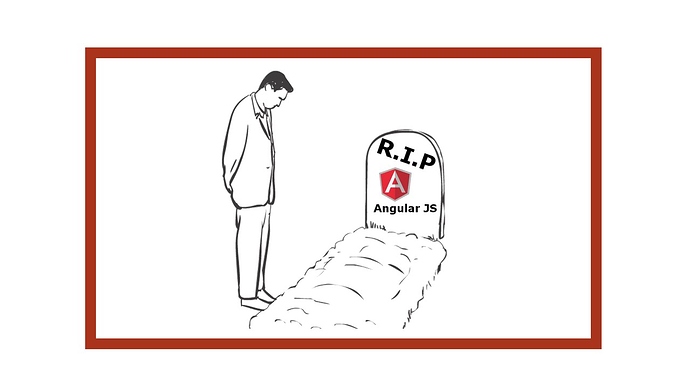
What happened to AngularJS? Why was it discontinued?


 .

AngularJS End of Life Announced

.

The AngularJS End of Life timeline has been announced. Are you ready?


When AngularJS was first introduced in 2009, it was revolutionary. Originally developed to support a SaaS application, the project was eventually released to the masses as an open source library for building web applications. That original freemium service is archived here for posterity. The library’s extensive focus on testability and performance, along with the rapid evolution taking place in the larger JavaScript ecosystem enticed Google enough to acquire it and by extension the architects AngularJS: Miško Hevery and Adam Abrons.


While AngularJS did many things right, there was a push to rewrite the project to leverage TypeScript and transform it into a true platform for web application development. Unfortunately, it would not be possible to implement without introducing significant breaking changes. So the project was effectively forked. Angular was born while AngularJS continued to enjoy support from the team at Google and the larger community.


But its days were numbered.


The first announcement came in January 2018, later reiterated at NG Conf in Salt Lake City, that the final release of AngularJS would be 1.7 and would enter Long Term Support (LTS) through June 30, 2021. After that time, Google will no longer maintain the library.


If you are currently built on AngularJS, now is the time to start considering your strategy for migrating.


The smoothest transition path is to move your application to Angular, the newest generation of the project. Angular is a robust platform for application development, and your existing development team should have no issues picking up the differences. But this is a decision that project leaders need to begin considering today.


React is another fantastic option for web applications, but could potentially result in less code reuse. For pure AngularJS apps, we generally recommend a migration to Angular.


We recently completed delivery of a custom built Angular system to an $18B consumer goods giant, supporting many of their internal line of business applications. If you have questions about your migration options or think you might benefit from an experienced Angular Architect on the project, please get in touch to discuss.


The clock is ticking towards the official AngularJS End of Life. Don’t get caught on your heels!

.

https://www.convective.com/angularjs-end-of-life/

Read More

Thursday, November 16, 2017

What happened to Intel XDK? Why was it discontinued?


.

PaulF_IntelCorp

Employee

‎11-16-2017 02:41 PM

[RETIRED] Intel XDK

Development and support for the Intel XDK has ceased.

The Intel® XDK is no longer being developed or updated for new operating systems and devices. You may continue to use the final version of Intel XDK (version 3987).

https://community.intel.com/t5/Software-Archive/RETIRED-Intel-XDK/td-p/1075483

.

PaulF_IntelCorp

Employee

‎10-26-2016 12:26 PM

An "IoT Companion App" is a mobile Cordova app that's been optimized for use with IoT devices and IoT cloud services. What that means, regarding mobile apps, is that our system will focus on creating Cordova mobile apps that use Cordova plugins that are useful for communicating with apps running on IoT devices and for communicating with cloud services that designed for use with IoT devices.

Mobile apps that you create with the XDK are standard Cordova mobile apps. As the IoT focus of the XDK progresses, if you need to leave the XDK we will provide you with the means to move your mobile app to Cordova CLI. The XDK creates a standard Cordova CLI application, so any app you create with the XDK can be easily built and developed using standard Cordova CLI tools.

Regarding Intel support personnel, none of us works full time on providing support. It has always been this way, we all have other duties we must attend to, beyond support. We are in the process of adding some new support personnel to the forum. Additionally, there are quite a few regular developers who answer questions on this forum. We do try to restrict our support to issues that are specific to the use of the XDK; we are not here to teach people how to write a mobile app or an IoT app. For general help regarding programming problems there are many blogs and forums that provide much better information.

https://community.intel.com/t5/Software-Archive/Future-direction-of-the-XDK/m-p/1066498

.

Read More

Monday, September 18, 2017

What happened to SharpDevelop? Why was it discontinued?

 .

According to dgrunwald , a member of ICSharpCode github icsharpcode/SharpDevelop community:

Yes, it's dead.

It takes a massive amount of effort just to keep up with the changes to the language and build system Microsoft is doing, probably at least 2 man-years to catch up to C# 7 / the .NET Core stuff. That's a bit too much for a hobby project -- we don't have that kind of free time anymore, and even if we did, there are better ways to spend it than playing catch-up with a huge dev team at Microsoft.

Combine that with the free community edition, and there's little space for multiple open-source C# IDEs.

Remember that MonoDevelop is still around; and that VS Code is also open-source! Start with one of those if you need a portable IDE.

https://github.com/icsharpcode/SharpDevelop/issues/799

.
Alternative:
(Cross platform IDE for C#, F# and more)
Read More

Sunday, February 21, 2016

Google Apps Script Library Underscore


.

Underscore

Underscore for Google Apps Script is a library that enables the use of the underscore.js library in Google Apps Script. API docs are available here.


Adding the library to your project

Underscore for Google Apps Script is made available as a script library. This is how you add it to your project:


Select "Resources" > "Libraries..." in the Google Apps Script editor.

Enter the script id (1PcEHcGVC1njZd8SfXtmgQk19djwVd2GrrW1gd7U5hNk033tzi6IUvIAV) in the "Find a Library" field, and choose "Select". (If you have copied the library, enter instead the project key of your copy.)

Select the highest version number, and choose Underscore as the identifier. (Do not turn on Development Mode unless you know what you are doing. The development version may not work.)

Press Save. You can now use the Underscore library in your code.

If you want to combine Underscore with Underscore.string for Google Apps Script, then also add its project key by following these instructions.

.

Reference:

https://github.com/simula-innovation/gas-underscore


Read More

Google Apps Script Library Lodash

.

LodashGS

Lodash for Google Apps Script is a library that enables the use of the lodash.js library in Google Apps Script. API docs are available here.


Adding the library to your project

Lodash for Google Apps Script is made available as a script library. This is how you add it to your project:


Select "Resources" > "Libraries..." in the Google Apps Script editor.

Enter the project key (1SQ0PlSMwndIuOAgtVJdjxsuXueECtY9OGejVDS37ckSVbMll73EXf2PW) in the "Find a Library" field, and choose "Select". (If you have copied the library, enter instead the project key of your copy.)

Select the highest version number, and choose Lodash as the identifier. (Do not turn on Development Mode unless you know what you are doing. The development version may not work.)

Press Save. You can now use the Lodash library in your code.


Reference:

https://github.com/contributorpw/lodashgs

Read More

Wednesday, February 10, 2016

Google Apps Script Library Code Sample


Reference:
Read More